

This month, GovTribe introduced a homepage tailored to your work, improved AI skills, a new RFQ response template, and expanded controls for managing your organization.
Here's a quick look at what's new.
HOMEPAGE
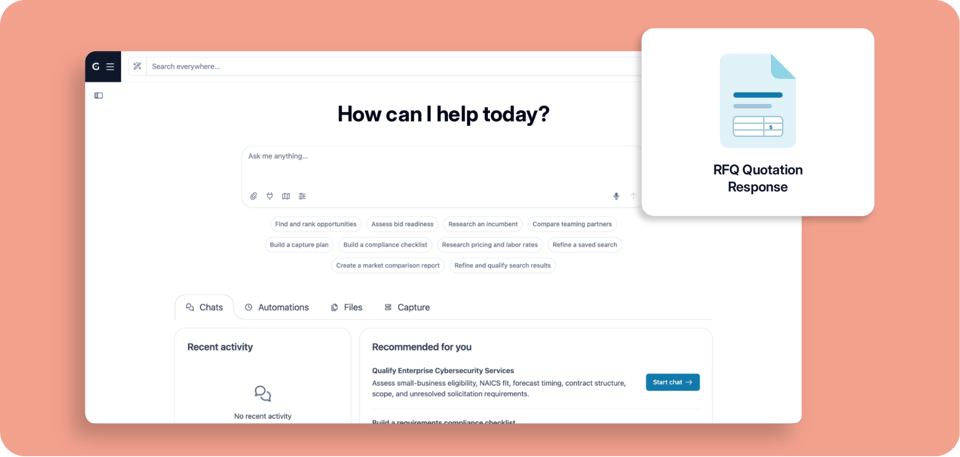
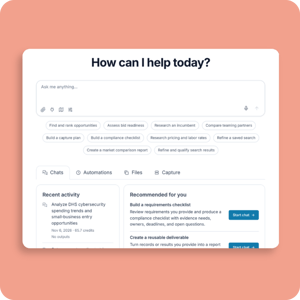
A homepage tailored to your work
Your new homepage brings recent work, active pursuits, and relevant updates together in one place.
✓ Pick up where you left off. Return to recent chats, files, and active pursuits.
✓ See relevant next steps. Get suggested chats and actions based on your pursuits, interests, and market activity.
✓ Start work faster. Use recommended automations and templates to simplify recurring tasks and capture workflows.
Explore your homepage →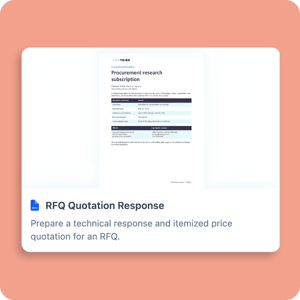
GOVTRIBE AI
Smarter intel and AI skills
Work with improved research skills, expanded federal intel, and a new file template in GovTribe AI.
✓ Draft RFQ responses faster. Start with the new RFQ Quotation Response template instead of a blank page.
✓ Research federal regulations. Explore regulations and proposed rule changes in the new Regulations tab, and use them in AI research and drafting.
✓ Analyze federal spending. Use improved AI analysis to explore agency purchasing, spending patterns, and vendor activity.
Work with GovTribe AI →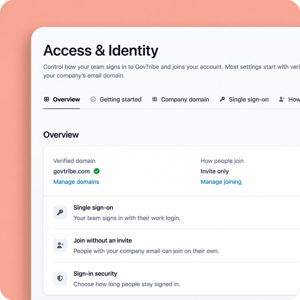
TEAM MANAGEMENT
Easier team management
New admin controls make it easier to manage access, permissions, and activity across your organization.
✓ Set up single sign-on. Enterprise teams can now use SSO to simplify access to GovTribe.
✓ Assign multiple admins. Account Owners can give admins access to manage users, billing, credits, integrations, and team AI usage.
✓ Review account activity. Updated settings make it easier to manage roles and permissions, review billing and credit usage, and track account changes.
✓ Share pipeline views. Save and share filtered Board, Tasks, and Calendar views with teammates who have access.
Explore new team settings →QUICK TIP
Where to track AI activity and credits
GovTribe has separate views for reviewing AI work and managing credit usage. Here's where to find what.
Find your AI work
GovTribe AI → Usage
Review chats, automations, and files. Account Owners and admins can also view team AI activity.
View AI activity →Manage AI credits
Profile → Credits & Usage
Check credit balances and usage by person or tool. Account Owners and admins can purchase credits and set usage limits.
Manage credits →Explore what's new in GovTribe
Log in to try the latest updates, or start a free trial with 2,000 free credits.
Log in → Start free trial →