

GovTribe is now an official ChatGPT plugin. That means you can bring GovTribe's government contracting intelligence and tools into ChatGPT and use them alongside your team's files and other connected tools.
You can research opportunities, evaluate pursuits, build proposal documents, and work across your tools without constantly switching between platforms.
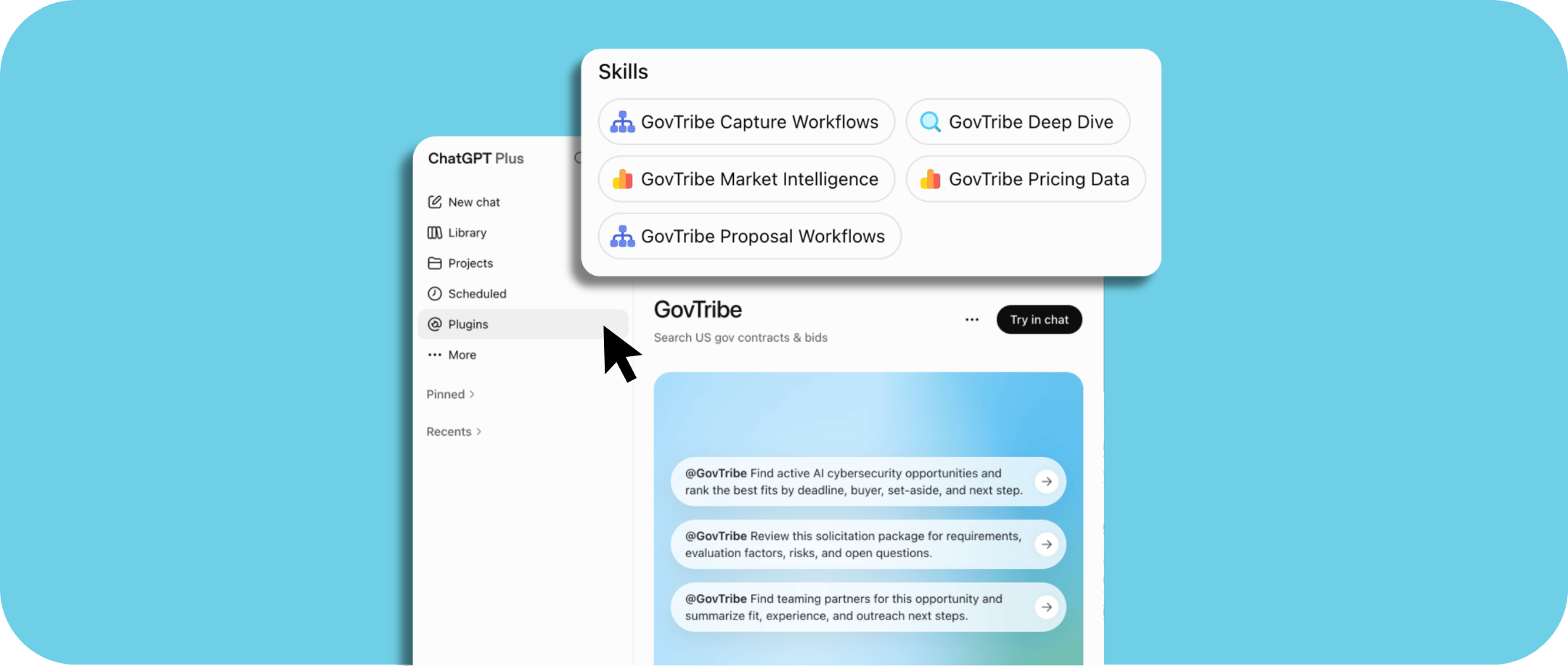
Why connect GovTribe to ChatGPT?
Connecting GovTribe gives ChatGPT access to government contracting intelligence and tools built for the work you do. Here's what that makes possible.
Research with better govcon data
Bring GovTribe's enriched government contracting data into ChatGPT. Research opportunities, awards, agencies, vendors, programs, and markets with source evidence you can check.
Combine market intelligence with your own files
Use GovTribe intelligence alongside the files, past performance, account plans, and other information your team chooses to connect. ChatGPT can use both to give you answers and deliverables that better reflect your business.
Work across your tools in one place
Research an opportunity, update your pursuit, work with your CRM, and create a capture brief without jumping between systems. What ChatGPT can do depends on the tools you connect and the permissions you give it.
How to connect GovTribe to ChatGPT
Getting connected only takes a few steps.
1. Open Plugins in ChatGPT
In your ChatGPT workspace, open the Plugins directory.
2. Find GovTribe
Search for GovTribe and select the plugin.
3. Connect your account
Follow the prompts to sign in to GovTribe and authorize the connection.
TIP
Type @GovTribe at the start of a chat when you want ChatGPT to use GovTribe.
GovTribe skills bring govcon expertise to ChatGPT
When you connect GovTribe, ChatGPT can also use GovTribe skills. These are built for common government contracting tasks, from capture research to proposal planning.
Developed by former government contractors, the skills help ChatGPT approach these tasks with the right context and produce more useful, structured results.
Capture Workflows
Bid/no-bid reviews, pipeline ranking, incumbent and competitor analysis, teaming, and capture plans.
Deep Dive
Source-backed research on an opportunity, award, vendor, agency, vehicle, program, or related record.
Market Intelligence
Buyer behavior, market demand, recompetes, spending patterns, acquisition targets, and early signals.
Pricing Data
Labor-rate benchmarks, wage baselines, awarded line items, pricing models, and price-to-win evidence.
Proposal Workflows
Compliance workbooks, source registers, submission trackers, annotated outlines, and response packages.
You don't need to select a skill from a separate menu. Just describe what you're working on and what you need. ChatGPT can choose a relevant skill, or you can name one in your prompt.
What can you do with GovTribe in ChatGPT?
Here are a few ways to combine GovTribe intelligence with the files and tools your team already uses.
Make better bid/no-bid decisions
Combine GovTribe's opportunity, incumbent, buyer, and competitor intelligence with your capabilities, past performance, CRM history, and bid criteria. Use that information to assess a pursuit, identify gaps, and build an initial capture plan.
Find new business opportunities
Bring together agency spending, buying patterns, contract vehicles, recompetes, and early signals with your account plans and target lists. Find potential buyers and decide where to focus your business development efforts.
Research competitors
Combine GovTribe award and competitor intelligence with your team's debriefs, field insights, and capture notes. Identify likely bidders, assess their strengths and weaknesses, and prepare a Black Hat review.
Work through pricing scenarios
Use available wage, labor-rate, staffing, and award data alongside your internal rates, staffing model, and margin targets. Develop pricing scenarios with the evidence and assumptions behind them.
Get a head start on proposals
Work with solicitation documents and amendments alongside your team's templates, approved content, resumes, and past performance. Build compliance matrices, annotated outlines, submission trackers, and draft response content.
The idea is simple: GovTribe brings the market intelligence, your team brings its own knowledge and files, and ChatGPT helps you work with both in one place.
How credits work
The ChatGPT plugin connects to GovTribe through GovTribe MCP. When ChatGPT searches GovTribe data or performs other GovTribe actions, that activity uses GovTribe credits.
Your ChatGPT plan and usage are separate. GovTribe credits don't cover ChatGPT usage, and ChatGPT usage doesn't cover GovTribe credits.
Frequently asked questions
Do I need to choose a GovTribe skill manually?
No. Describe your project and what you want to create. ChatGPT can choose a relevant skill, or you can name a specific skill in your prompt.
Does using GovTribe in ChatGPT consume credits?
Yes. GovTribe searches, analysis, and actions use GovTribe credits. The amount depends on what you ask GovTribe to do.
Do I need both GovTribe and ChatGPT credits?
GovTribe activity uses GovTribe credits, while ChatGPT usage is handled separately through your ChatGPT plan. The two aren't interchangeable.
How is this different from GovTribe AI?
GovTribe AI is the experience built into GovTribe. The ChatGPT plugin lets you use GovTribe's intelligence and capabilities inside ChatGPT, alongside other files and tools you connect there.
Ready to get started?
Start a free trial today, no credit card required.
Start free trial →Get 2,000 free credits with your trial.
Keep exploring
User guide
Get started with GovTribe AI
See how GovTribe AI can help you speed up everyday govcon work.
Learn more →User guide
Build documents in GovTribe
See how GovTribe AI can help you speed up everyday govcon work.
Read blog →Blog
Understand GovTribe credits
Learn how credits work and what to expect when using GovTribe's AI tools.
Read blog →