Plug GovTribe into your AI tools,
business systems, and custom apps
GovTribe has the govcon data you need to find and win work. But your work doesn't live in one place. It's spread across AI assistants, your CRM, team chat, and your own company files.
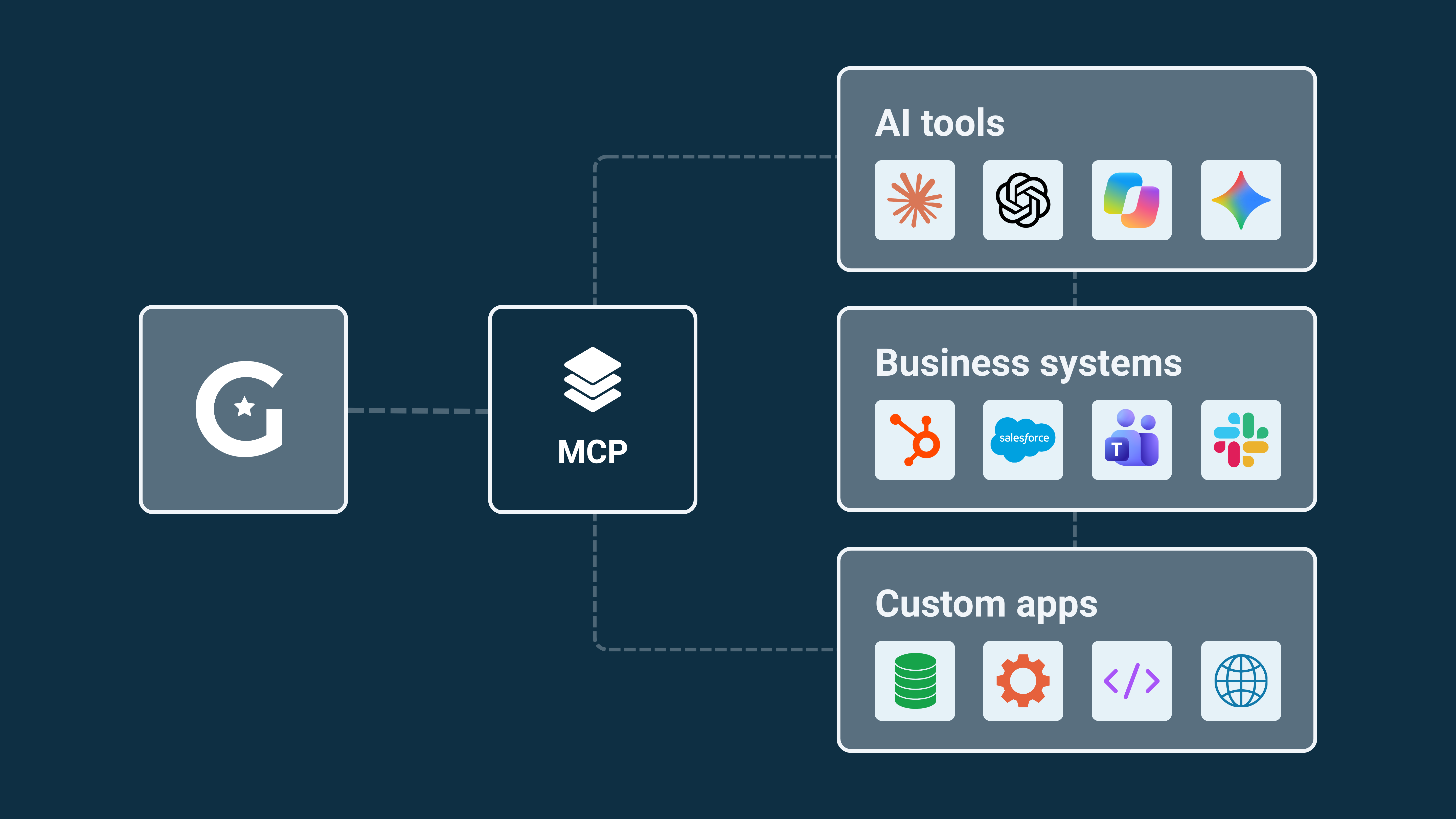
GovTribe MCP connects them. Once GovTribe is plugged in, your AI tools get smarter about govcon, you can update GovTribe from wherever you're working, and your data can move between tools instead of getting copied and pasted.
GovTribe was the first to bring MCP to govcon. Here's what it is, what it unlocks, and how to get started.
What is MCP?
Model Context Protocol (MCP) is an open standard that lets software securely connect to other apps and data. Think of it as a universal plug: connect GovTribe once, and it can work with tools that support MCP.
In plain terms, it's like giving your AI tool its own GovTribe login. It can look things up in GovTribe and make changes for you, while your account's permissions and credits stay in place.
.png?width=720&height=377&name=2025%20Q2%20Quarterly%20Roundup%20(95).png)
1 / Connect
Plug GovTribe in once
Add GovTribe to an AI tool in a few clicks, or connect your own app with an API key.
2 / Ask
Get answers from real data
Your AI looks things up in GovTribe instead of guessing from memory.
3 / Act
Make changes anywhere
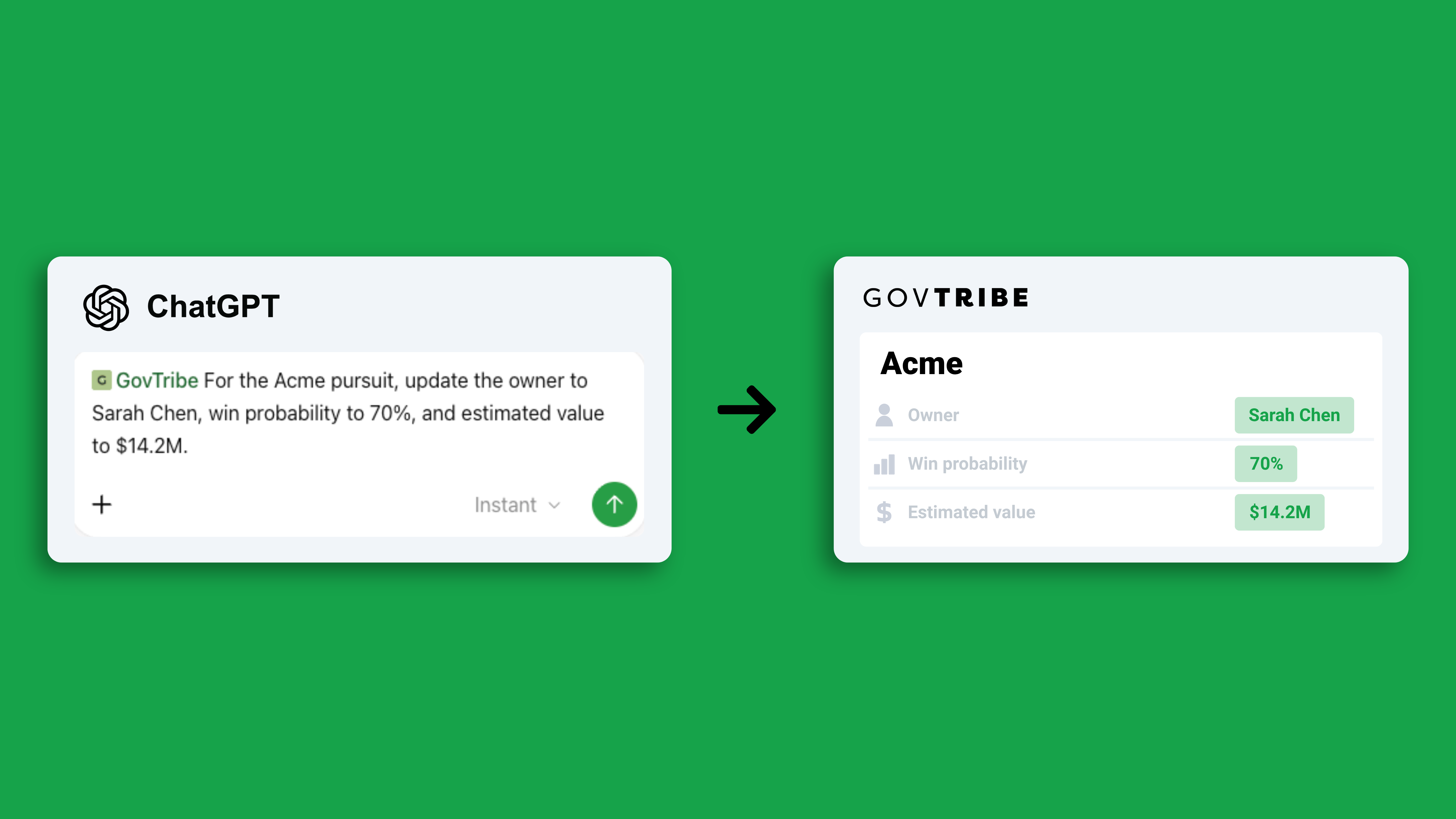
Create pursuits, tasks, and saved searches without opening GovTribe.
What it unlocks
Connecting GovTribe isn't just about asking better questions. Here's what becomes possible.
Smarter AI
Ground your AI in govcon data
Your AI pulls current opportunities, awards, contacts, and GovExec reporting, so you can trace answers back to the source.
Two-way
Update GovTribe from anywhere
Create pursuits, tasks, and saved searches from your AI tool, without switching tabs.
Connected
Build cross-tool workflows
Combine GovTribe with your CRM, team chat, and files, so work moves from research to action.
Custom
Build your own agents and tools
Create BD dashboards, opportunity finders, and custom agents on top of GovTribe data.
Ideas to try
The real magic happens when GovTribe works alongside your other tools. AI assistants like Claude and ChatGPT can connect to multiple supported tools, depending on your setup, so you can combine GovTribe with the systems you already use.
01 / GOVTRIBE + YOUR CRM
Let research flow straight into your pipeline
Research in GovTribe → Deal in your CRM
Find the right opportunity, then add it to your CRM with the buyer, incumbent, and deadline already filled in. No more re-entering data.
Try: "Using GovTribe, find the three best-fit opportunities for us this week, then add them to our CRM as new deals."
02 / GOVTRIBE + YOUR FILES
Get answers specific to your company
GovTribe market data + your capabilities and past performance
Connect GovTribe and your company files to the same AI tool, and it can match the market to what you actually do.
Try: "Compare open GovTribe opportunities to our past performance files, and tell me which ones we're best positioned to win."
03 / GOVTRIBE + YOUR CALENDAR
Walk into every meeting prepared
Your schedule + GovTribe buyer and competitor intel
Pull a quick briefing on every agency, prime, or partner you're meeting this week.
Try: "Check my calendar for this week's meetings, and use GovTribe to brief me on each agency or company I'm meeting."
04 / GOVTRIBE + TEAM CHAT
Keep your whole team in the loop
GovTribe updates → Slack or Microsoft Teams
Turn new matches, recompetes, and pipeline changes into short updates your team actually reads.
Try: "Summarize this week's new GovTribe matches and post the top five to our BD channel."
05 / GOVTRIBE + YOUR OWN APP
Build exactly what your team needs
GovTribe MCP → Your dashboard, agent, or tool
Developers can use GovTribe MCP to power internal dashboards, opportunity finders, and agents that run on a schedule.
Put it all together
Picture Monday morning. You ask your AI to find this week's best-fit opportunities in GovTribe. It checks them against your past performance, adds the top three to your CRM, drafts a teaming note for one, and posts a summary to your team channel. One request, five tools, no copy and paste.
How to connect
Many supported AI tools connect in a few clicks, with no setup code. Developers can connect compatible MCP clients using an API key.
Before you connect: GovTribe MCP uses credits, so make sure they're enabled for your account. An Account Owner or Account Administrator can manage credit settings. See how credits work →
Real results
Knowesis, a small business serving agencies like the DoD, VA, and HHS, connected GovTribe MCP to its own custom app and built workflows for opportunity discovery, competitive research, and pipeline management.
Research time
Cut by 80%+
From 4–6 hours per opportunity to under one hour.
Opportunity coverage
Tripled
Tracking three times as many opportunities, with no new hires.
Real-world example
"For a small business competing against larger primes, this kind of efficiency multiplier is the difference between being able to pursue an opportunity and having to pass."
Knowesis Read the full story →
Tips for getting more out of it
1
Name GovTribe in your prompt
Start with "Using GovTribe…" so your AI pulls from GovTribe instead of guessing.
2
Start with ready-made prompts
Copy prompts for capture, market research, and proposals. See the prompts →
3
Refresh after updates
When GovTribe adds new MCP tools, reconnect or refresh your AI app so it sees them. Here's how →
4
Plan your credits
Rolling MCP out to a team? Estimate usage with the credit cost estimator, and read how credits work.
5
Keep keys tidy
Name each API key after the tool that uses it. Keys expire after a year, and admins can revoke any key on the account.
Ready to get started?
Start a free trial today, no credit card required.
Start free trial →Get 2,000 free credits with your trial.
Keep exploring